Your Brand Voice in Every Post
Tell KontentFire about your business once: what you do, who you serve, a tone and how formal to be. Every post it writes for Facebook, Instagram and LinkedIn starts from those settings.
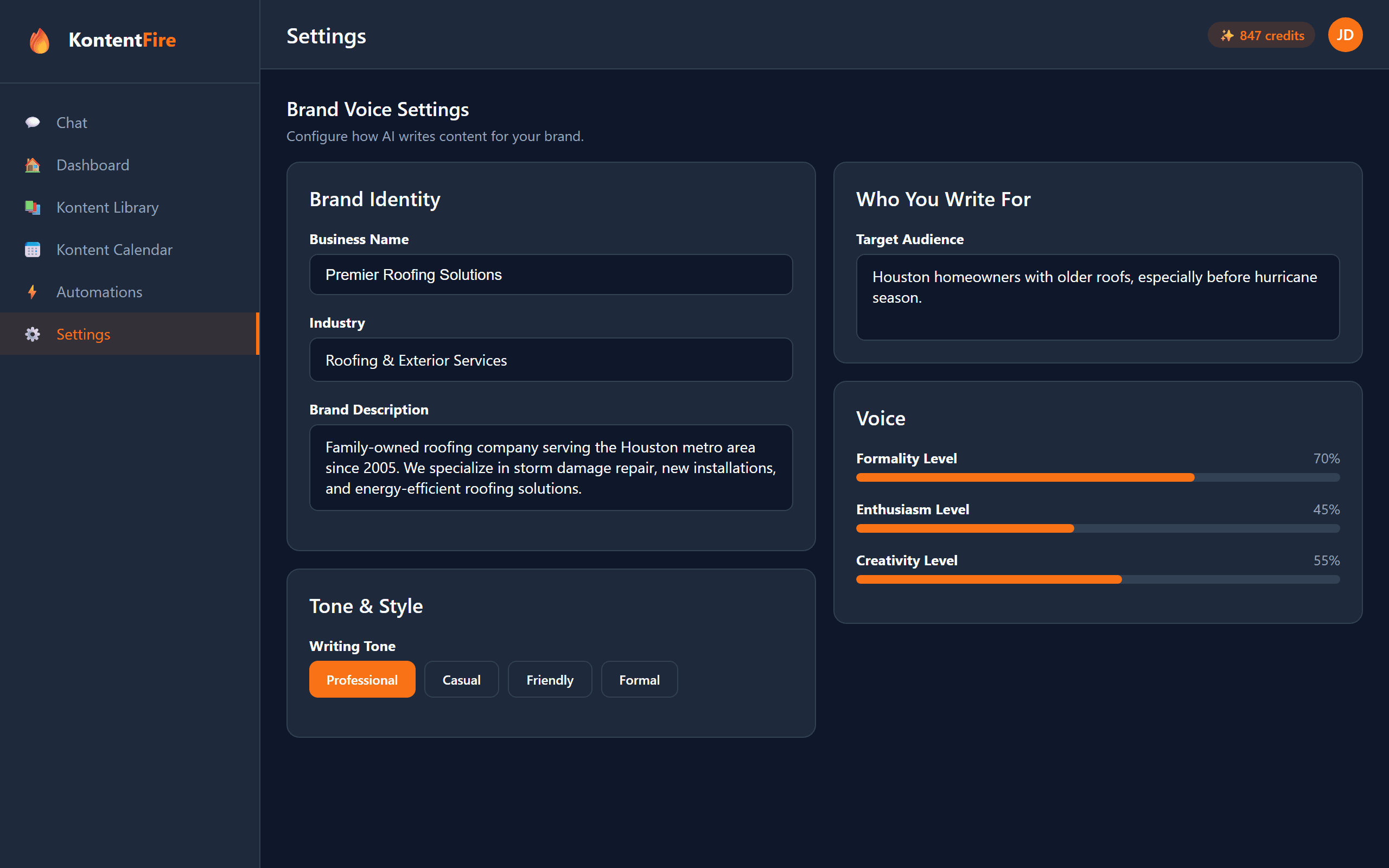
What You Can Set
Your Business, in Your Words
Company name, website, industry and a description of your business: what you do, who you serve and what makes you different. The AI reads them before it writes.
One of Four Tones
Professional, Casual, Friendly or Formal, so a post sounds like the way you talk to customers.
Three Sliders
Set how formal, how enthusiastic and how creative the writing should be.
Your Own Rules
The Additional Information box takes anything else, such as a phrase you always use or a word you never want to see.
Logo and Brand Colors
Save your logo and a primary and a secondary brand color on the same Brand tab. Text card pictures are made in your primary color.
Used for Every Post
Posts you make yourself and posts your automations write start from these settings. Your edits and chats also teach KontentFire how you write, and your automations follow that style once it has enough to go on.
Set It Up in Four Steps
Fill In Your Details
Open Settings, then the Brand tab, and describe your business, the customers you serve and what sets you apart.
Pick a Tone
Choose Professional, Casual, Friendly or Formal and set the three sliders.
Make a Post
Give KontentFire a topic. It writes the post from your settings.
Adjust and Go
Read the post, change anything you want, then schedule or publish it.
Common Questions
How does the AI keep my posts on brand?
Your brand settings go to the AI with every post it writes: your business details, your tone, the three sliders and your Additional Information text.
What should an HVAC company put in its brand settings?
For example: industry "HVAC repair and installation", and a company description such as "We fix and install heating and cooling for homeowners within 20 miles, usually the same day, at a fixed price agreed before we start." Then a Friendly tone and a low formality slider.
Can I have a different voice for each network?
You save one brand voice. KontentFire still writes each network its own version, in that network's length and style.
What if a post does not sound like us?
Edit it before it goes out, or make a new one. If it keeps missing, add the rule to the Additional Information box or move a slider. Your edits also teach KontentFire how you write, for the posts your automations make.
Related Features
Ready to Sound Like Yourself?
Start on the Free plan and set up your brand voice in a few minutes.