An AI Social Media Content Generator That Writes Your Posts
Give KontentFire a topic and it writes the post for each network you pick, in your brand voice, and can make a picture to go with it. Read it, change anything you like, then schedule it for Facebook, Instagram and LinkedIn.
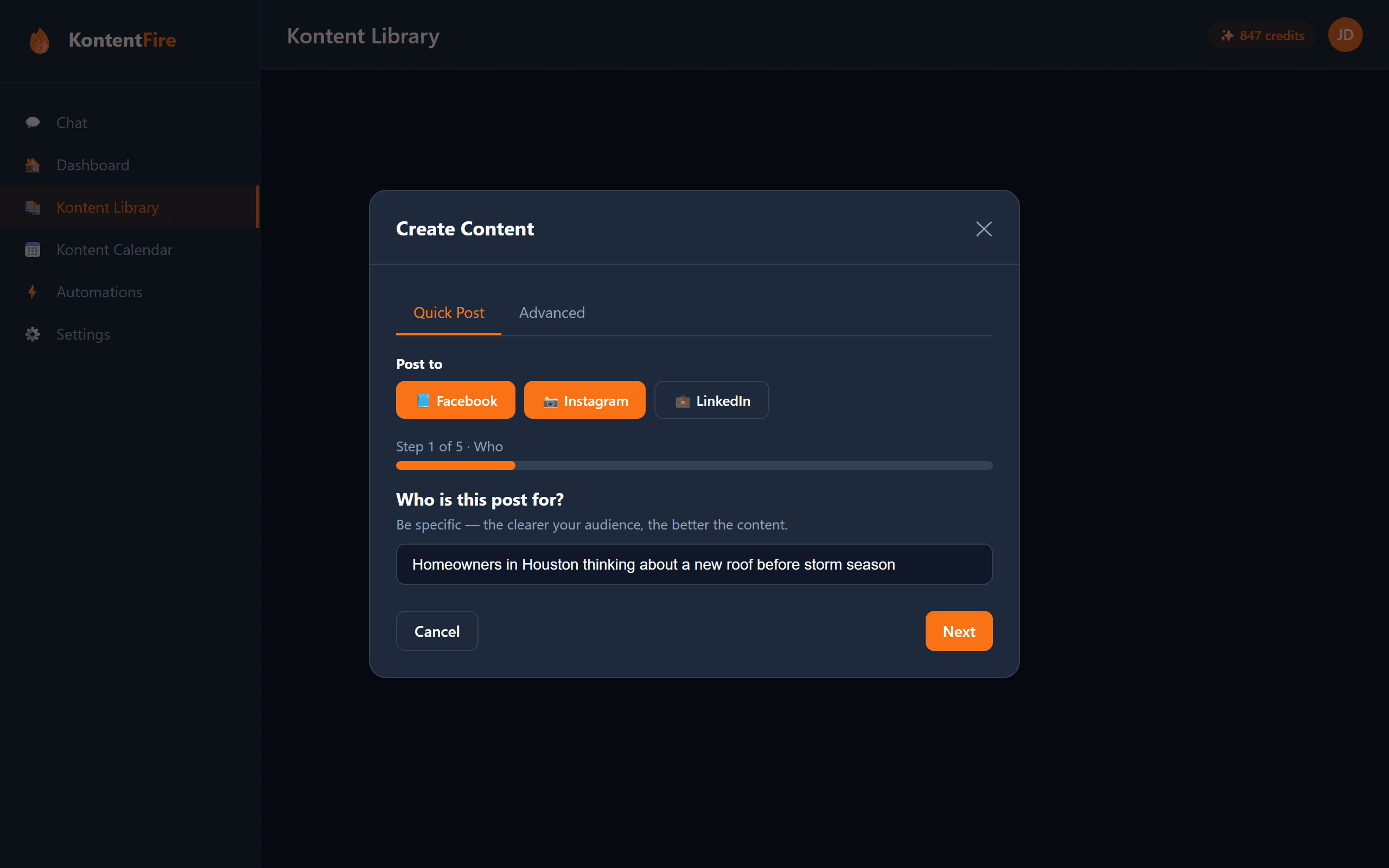
What the AI Does for Each Post
A Version for Each Network
Pick Facebook, Instagram, LinkedIn or all three. KontentFire writes a separate version for each one, in that network's length and style.
Your Brand Voice
Save your business details once, with a description of what you do, who you serve and what sets you apart, plus a tone and three sliders. Every post is written from them.
Seven Post Templates
Start from one of seven templates, such as Tip of the Day or Behind the Scenes, or a plain Social Media Post, and add your topic.
Fact Check
One AI writes your posts and another researches what is current. Press Fact Check on a post to have its claims checked before it goes out.
The Seven Kinds of Post It Writes
These are the templates in the app's Create window. See each one with a trade example.
Hashtags, Sized for Each Network
KontentFire writes the tags with the post, so there is nothing to look up or paste. On posts you make yourself, you see them in the editor before anything goes out.
- Instagram posts get a short set of tags, at most 5.
- LinkedIn posts get at most 1 tag.
- Facebook posts go out with no hashtags.
- Tired, overused tags such as #mondaymotivation and #hustle are left out.
Common Questions
How does the AI write my posts?
You give KontentFire a topic, pick a template if you want one, and tick the networks. One AI writes a version for each network from your brand settings, another researches what is current, and image engines make the picture.
Can I make posts for Facebook, Instagram and LinkedIn at once?
Yes. On Spark or Blaze you can connect all three. Check the ones you want and you get a separate version for each, written for that network rather than one post copied three times.
Can I edit the posts before they go out?
Yes. Every post you make yourself is a draft until you schedule or publish it, so change any word first, or make a new one.
How many posts can I make each month?
Free includes 1 post per week. Spark ($29.99/mo) includes 100 credits and Blaze ($129.99/mo) includes 500. A text-only post is 1 credit and a post with one image is 3 credits, so 100 credits is roughly 100 text posts or 33 image posts. You can top up at $1 per credit.
Does KontentFire add hashtags?
Only where they help. Instagram posts get a few tags and LinkedIn posts at most 1. Facebook posts go out with none.
Related Features
Want to try it before you sign up? Write a post with the free social media post generator, no account needed.
Make Your First Post Free
Start on the Free plan and make your first post in a few minutes.