Social Media Post Templates and Content Ideas
Stuck on what to post? KontentFire has seven social media content templates, and each one is a content idea you can use this week. Pick one, add your topic, and it writes the post for Facebook, Instagram or LinkedIn. Press Release writes a news-style announcement instead.
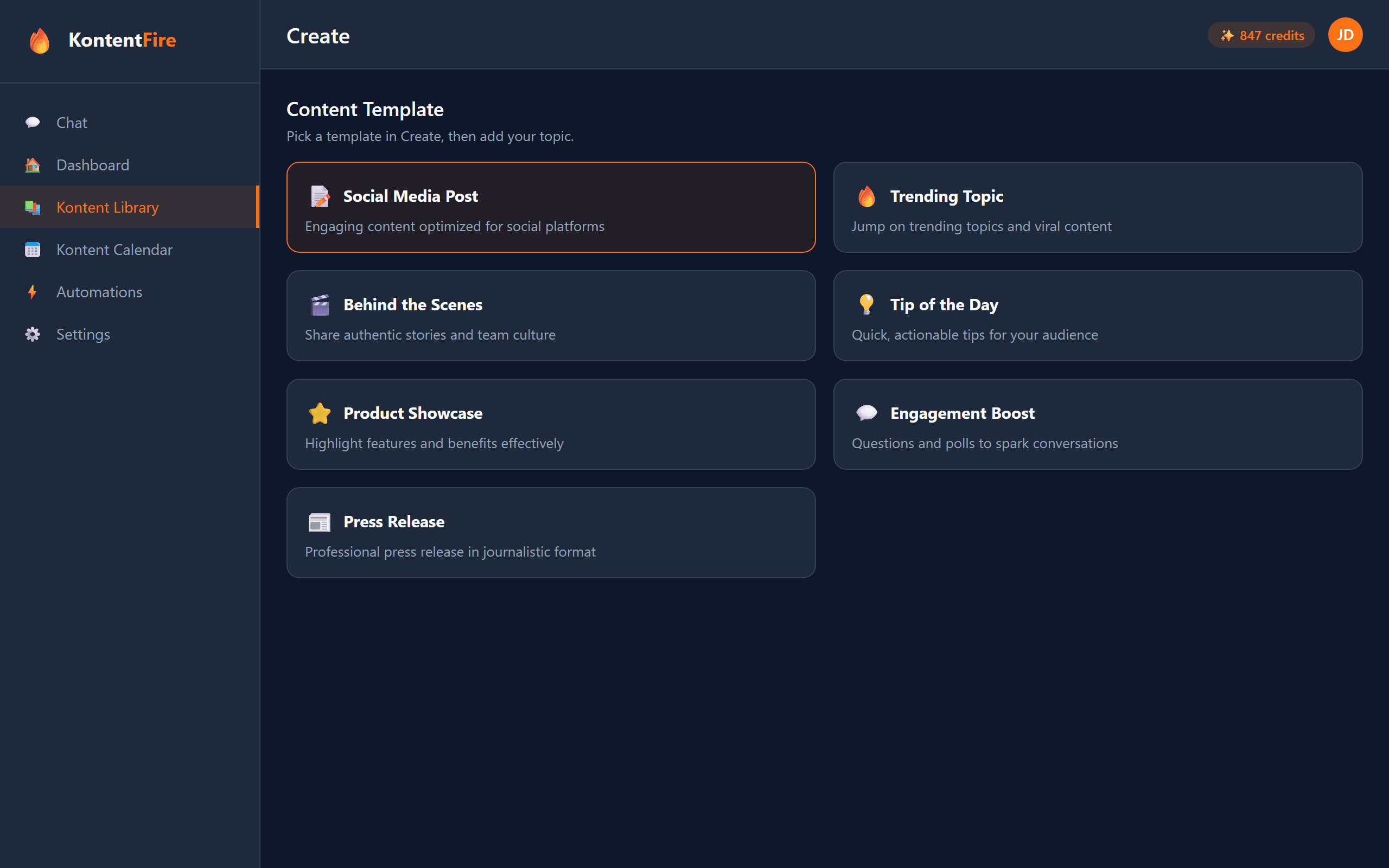
The Seven Templates, With a Trade Example Each
What each template is for, in plain words, and what a home-service business might post with it.
Social Media Post
A plain post on any topic you give it.
Example: A painting company: "We have room for two more exterior jobs before the weather turns."
Trending Topic
A post about something people are talking about, with your own angle on it.
Example: An HVAC company during a heat wave: what to check before the air conditioning gives out.
Behind the Scenes
A real story about your team and how you work.
Example: An HVAC crew loading the van at 6 a.m. before a furnace install.
Tip of the Day
One quick tip your customers can use today.
Example: A plumber: how to find the main water shut-off before you ever need it.
Product Showcase
The features and benefits of one thing you sell or install.
Example: A roofer: the shingle line they fit most, and why.
Engagement Boost
A question or poll that gets people answering.
Example: A landscaper: "Patio or fire pit, which would you add this summer?"
Press Release
An announcement in news style, as text only.
Example: A cleaning company opening a second service area.
Content Ideas for a Month of Posts
Week one, a Tip of the Day. Week two, a Behind the Scenes story from a real job. Week three, an Engagement Boost question. Week four, a Product Showcase of the thing you install most. Then start again with new topics.
Or Generate Content Ideas in the Chat
The chat in the app works as a content idea generator. Ask it for content ideas for your trade, or tell it you are stuck, and it suggests a few, each with its own angle. Pick one and it writes the post.
Want one written right now, without an account? Try the free social media post generator.
Common Questions
What templates are included?
Seven: Social Media Post, Trending Topic, Behind the Scenes, Tip of the Day, Product Showcase, Engagement Boost and Press Release. They are the ones in the app's Create window.
How does a template turn into a post?
Pick a template and type your topic. Press Release has its own short form instead, for your company name, the news and the key details. KontentFire then writes the post from your brand settings.
I am stuck for content ideas. Where do I start?
Try three templates in a row: one tip, one behind-the-scenes story, one question for your customers. That is three weeks of posts. Each template on this page has an example for a home-service business to copy. Or ask the chat in the app for content ideas for your trade, and pick one for it to write.
Can I change the post a template writes?
Yes. Every post you make from a template is a draft until you schedule or publish it, so change any word first.
Related Features
Ready to Try the Templates?
Start on the Free plan and make your first post from a template in a few minutes.